
Upload a local demo to Codepen

My default is to create demos locally (on my machine). I would like to share some of those demos on codepen from time to time. It would be great to have a lickle app to upload a local demo to codepen.
Does codepen have an API? Is there a ready-made app out there that will do this for me? What is the story?
TLDR
I did not find a ready-made app that covered the bases. So, I wrote my own: codepen-upload-cli. Jump to the my app section for details.
Does codepen have an API?
Codepen does not provide an API for uploading a pen. That makes things tricky!
Codepen does have a prefill post method that can submit a demo through a HTML form. When the form is submitted, it will redirect to https://codepen.io/pen, showing an unsaved pen that is populated with your data. It is up to you to log in and save it. The best you can achieve is a semi-automated process.
To upload your data, you create a form with a “hidden” input. You provide the data as a JSON object (see reference for fields) in the value attribute of the input. Be careful with quotes, you want to ensure it is valid HTML. It is probably best to escape all double quotes. You can submit the form by including a “submit” input in the form, and clicking it. You can try out the example below to see it in action.
Hitting the “Upload demo” button, will give you the following result:
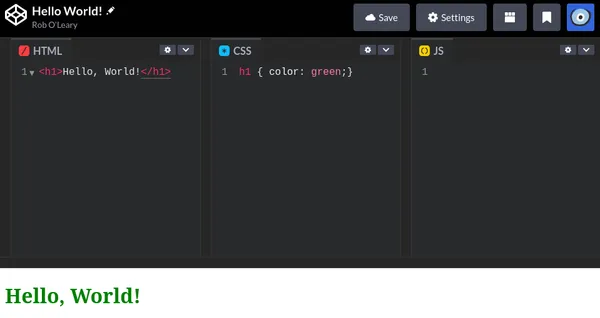
I experimented with using the FormData object and fetch to do it all from a script and it did not work. My guess is cookies need to managed. The only way to automate the uploading of a demo is to create a HTML page with a form as above, open this page in a browser, and use an embedded script to submit the form for you when the page loads.
With this in mind, is there a ready-made app that does this for us?
Is there a ready-made app for this?
I found a npm package called codepen-prefill that does the very thing.
Installing it will provide you with a codepen-prefill command where you can supply a HTML file and it will extract all scripts and styles (external and embedded), and will open codepen in your default browser with a new, unsaved, populated pen.
codepen-prefill index.htmlThe bad news is that I encountered 2 issues when trying it out. The first is a show stopper – it didn’t work!
The app creates a HTML file with the form to submit the local data and places it in your temporary directory (/tmp in my case). It then opens that file in the default browser. My default browser is Firefox, which blocks the opening of the file. Why is that?
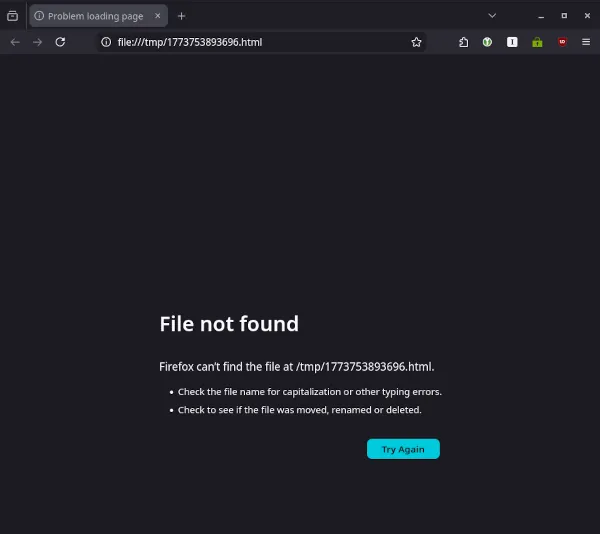
This is because Firefox operates as a sandbox. On Linux these days, most browsers vendors require you to install the browser through a package container system such as snap which blocks access to the root directory. If I open the temporary HTML file manually in the browser, it will work as expected.
The second issue is my demos include structured data (JSON-LD) contained in a script tag, this data is for search engines, I don’t want that to end up in a codepen! There isn’t an option to exclude it.
Long story short, it would be best to roll my own. I can follow a similar path as codepen-prefill.
My app
You can find my app at codepen-upload-cli.
I wanted the app to operate as a command that takes the source directory of a demo as an input and will do the rest to create a new pen from the source.
codepen-upload demos/css-backgrounds/airmail-backgroundA demo is expected to adhere to a particular format:
- HTML and front-matter metadata (title, description, external libraries used) are contained in a
index.njkfile, - CSS is contained in a
styles.cssfile (optional), - JavaScript is contained in a
script.js(optional).
It takes the front-matter from the index.njk to populate the pen details, external scripts, and external stylesheets of the pen.
---
title: Airmail envelope CSS background
date: 2025-12-25T16:00
summary: "An airmail envelope has a distinctive red-blue striped band around its edge and other markings to indicate that it should be transported by air."
---

<-- index.njk -->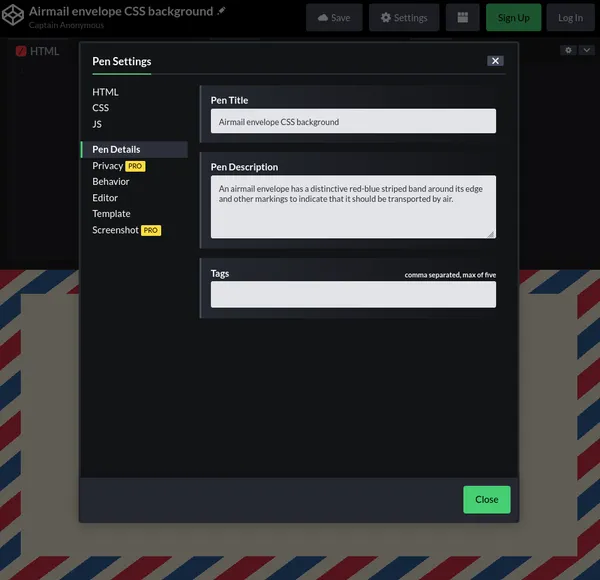
index.njkTo overcome the sandboxing restriction, the temporary HTML file used to submit the form data is created in the user’s home directory. The file is opened in the default browser, and a few seconds later it is deleted from the file system.
Final thoughts
This little helper app should save me time in the future. I don’t know if it will be a net gain overall, the story of many a coding escapade!